With the festive season in full swing, social media has gone into Christmas overload with decorative trees. Christmas jumpers and cheesy Christmas movies!
Accessibility is a subject I talk about often when it comes to toilets or Housing. However, I’ve never really touched upon accessibility on social media.
I wanted to put together a mini guide. The main purpose of this guide is to act as something you can refer to whenever you need it.
This list is no way exhaustive of every single tip or trick out there but I should help start you off making your social media that much more accessible.
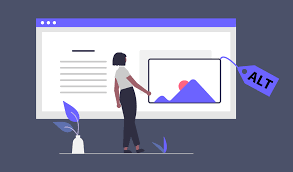
Alt text
Referred to as an image description, is a written description of an image. When you’re writing alt text, think about how you’d describe a picturesque setting to someone over the phone.
Keep it simple you don’t need to include every detail. For example what are the main aspects of the image that people need to know about. Text within the image, write it all out in the alt text so it’s accessible for everyone.
Captions
Videos with speech should always be captioned. As deaf and hard-of-hearing people want to be able to enjoy the content you’re sharing as well.
Captions don’t just benefit people who are deaf and hard-of-hearing. Autistic or have a learning disability want to be able to enjoy the content you’re sharing as well.
There are two types of captions: closed captions and open captions. Closed captions can be toggled on and off, whereas open captions are embedded in the video.
Some platforms have automatic captions built-in, however they are often inaccurate. It’s sometimes easier to take the time to caption your own videos. There’s lots of free tools out there that enable you to caption videos quickly and easily.
Graphics
We all want to create an eye catching fun graphic to capture people’s attention. However, it still need to be accessible.
Make It easy to read and colour contrast is very important. If you not sure it’s okay, tools such as WebAim’s Contrast Checker can help you find out what works well and what doesn’t.
Use large text instead of small text try not to cram everything in. For maximum accessibility, text should be on solid backgrounds.
Hashtags
Hashtags are great for finding what you’re looking for . If you capitalise the first letter of each word. It ensures that anyone using screen readers it will read out correctly, and makes them easier to read. This is known as Camel Case or Pascal Case.
Inclusive language
I cannot stress enough how important using inclusive language is. It’s not just the right thing to do; it gives people a sense of belonging.
If you’re not sure take the time to find out or research. For example, the language surrounding disability more often than not takes a social model approach. However, everyone has their own preferences. Some people may use disability first language, whilst others may use identity first language. The same goes when talking about other communities.
As I said this is just a very small list that I hope helps and acts like a mini guide for you to share all of your exciting Christmas videos and photos. But also that you continue making your social media more accessible.
By making your social media more accessible you might be surprised at how many disabled followers you have.
Merry Christmas
Thank you for taking the time to read my articles over the last year it’s been a pleasure writing every single article and sharing it with you all.
Until next time
K
 Kerry Thompson - My Life, Kerry's Way.